
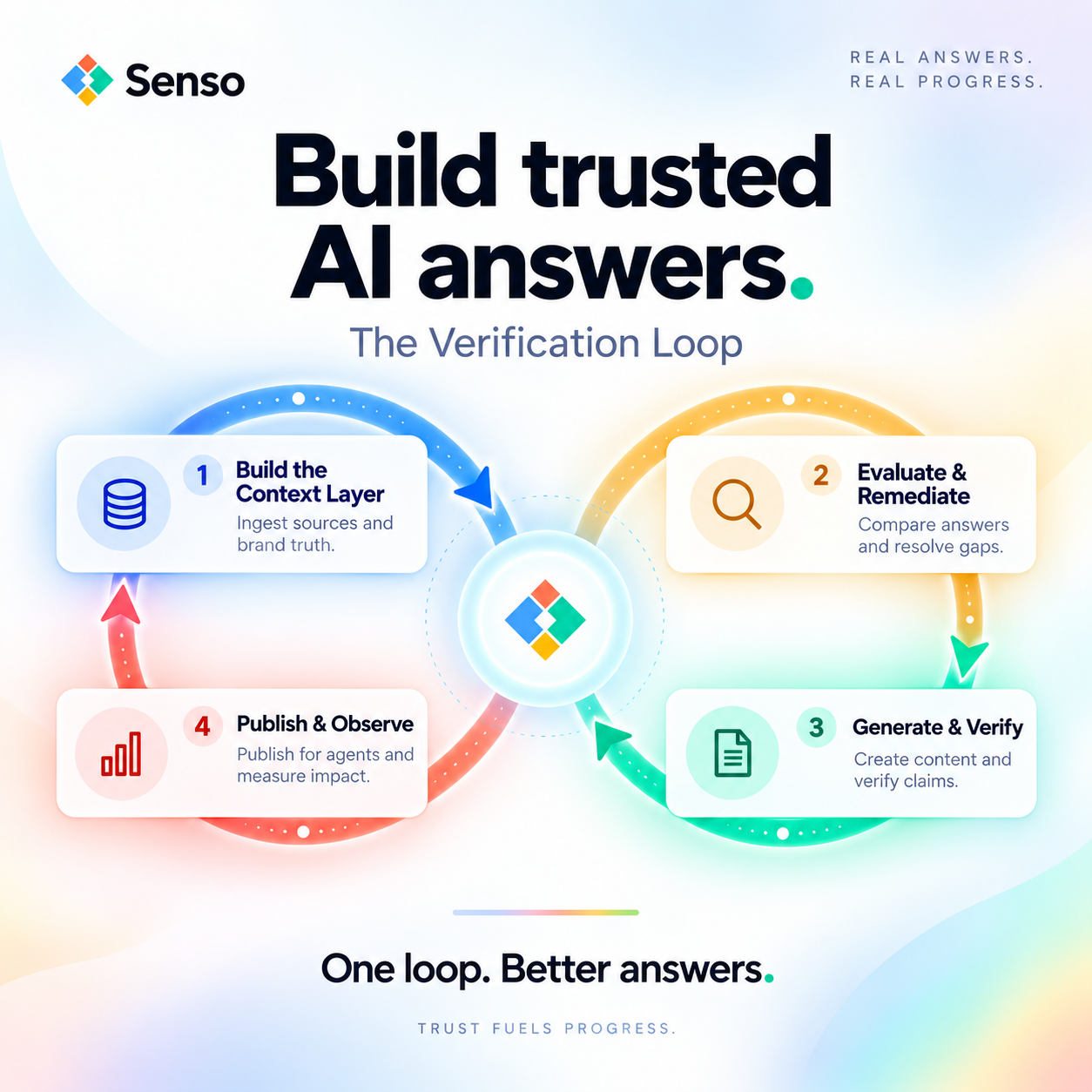
How is automation changing customer support?
Automation is changing customer support by moving the first answer out of the queue and into self-service, chat, and agent-assist workflows. That shift matters because AI agents are already answering questions about products, policies, and pricing without a human in the loop. Cloudflare says automated agents and bots now generate more than half of all web requests, so machine-first interactions are no longer a niche pattern.
The real question is not whether support should be automated. It is whether those answers are grounded in verified ground truth and whether your team can prove it when a customer, auditor, or CISO asks. In support systems that rely on verified source material, Senso reports 90%+ response quality and a 5x reduction in wait times.
What is automation changing in customer support?
Automation is turning support from a manual queue into a hybrid system. Simple requests are answered instantly, repetitive work is routed automatically, and human agents focus on exceptions that need judgment. The job is no longer only to answer tickets. It is to keep answers consistent across bots, agents, and policy changes.
| Support function | Manual model | Automated model |
|---|---|---|
| First response | Waits in queue | Instant self-service or bot reply |
| Ticket routing | Human triage | Intent-based routing |
| Knowledge use | Scattered documents | Governed, version-controlled knowledge base |
| Escalation | Agent starts from scratch | Agent gets summary and context |
| Quality control | Spot checks | Continuous response scoring |
This shift changes support from a people-only process into a knowledge system. When automation works, it reduces delay. When it fails, it scales the same mistake across every channel.
Which support tasks are being automated first?
The first tasks to automate are the ones with clear rules and repeated patterns. These are the requests that support teams see every day and can verify against approved source material. They are the fastest place to reduce wait time without handing over judgment calls.
Common examples include:
- Password resets and account access issues
- Order status and shipping updates
- Refund checks and cancellation steps
- FAQ responses about product features
- Ticket tagging and routing by issue type
- Conversation summaries for human agents
- Follow-up messages after a case is closed
These tasks are a strong fit because they are high-volume, low-risk, and easy to validate. Once they are stable, teams can move to more complex workflows that require policy awareness or escalation.
How does automation change the customer experience?
Automation makes support faster, more consistent, and more available. Customers get an answer sooner, repeat themselves less, and receive the same information across chat, email, and help centers. In grounded workflows, Senso reports 5x reduction in wait times and 90%+ response quality.
That speed changes expectations. Customers no longer tolerate long delays for simple issues like order status or password access. They expect the system to solve the problem or hand them off with context.
The downside is also clearer. If the automated answer is wrong, the customer sees the error immediately. A fast wrong answer creates more frustration than a slower human reply.
What changes for support teams?
Automation changes support teams from answer generators into quality owners. Agents spend less time repeating the same replies and more time handling exceptions, policy conflicts, and complex troubleshooting. Managers spend more time reviewing response quality, routing accuracy, and knowledge gaps.
That shift changes the skills support teams need.
- Agents need stronger escalation judgment.
- Managers need visibility into what the automation is saying.
- Operations teams need current source material.
- Compliance teams need audit trails for sensitive answers.
Support work becomes less about typing faster and more about governing the information the system uses. That is especially true when one wrong answer can affect billing, compliance, or customer trust.
Why does governance matter more now?
Governance matters because automation now reaches beyond the help desk. The agentic web is already here. Cloudflare says automated agents and bots now generate more than half of all web requests, and AI user-action crawling increased more than 15x during 2025. That means support content is being consumed by people and by systems acting on their behalf.
When automation answers a policy, pricing, or account question, the company needs to prove where that answer came from. If the system cannot trace a response back to a specific verified source, it becomes difficult to audit, correct, or defend.
That is why support automation is becoming a knowledge governance problem. Teams need a governed, version-controlled knowledge base, not a pile of disconnected documents. They also need citation accuracy, so every answer can be traced to verified ground truth.
What are the biggest risks of automating support too aggressively?
The biggest risk is scaling the wrong answer. Automation can repeat stale policy, miss edge cases, or send customers into loops that never reach a human.
The main failure modes are clear:
- Stale policy gets reused after a change
- Hallucinated answers sound confident but are wrong
- Routing sends issues to the wrong team
- Sensitive questions never reach an authorized reviewer
- Customers cannot tell when the system is uncertain
These risks matter in every industry. They matter more in regulated sectors such as financial services and healthcare, where a wrong answer can create compliance exposure as well as customer frustration.
How should teams roll out customer support automation?
Teams should start with verified facts, then automate the safest workflows first. The goal is not to automate everything. The goal is to automate what can be proven, while routing the rest to a human with context.
A practical rollout looks like this:
- Compile verified ground truth from FAQs, policies, product pages, and approved scripts.
- Start with low-risk, high-volume questions that have one correct answer.
- Require citations for policy, pricing, and account-specific responses.
- Route unanswered or uncertain cases to the right owner.
- Review response quality regularly and update the source material when facts change.
One compiled knowledge base should power both internal support agents and customer-facing answers. That reduces duplication and keeps the same truth across every channel.
What should you measure?
Automation should be measured by quality, speed, and control. If a system only reduces ticket volume, it may be hiding a bigger problem. The right metrics show whether the automation is actually helping customers and protecting the business.
Track these measures:
- First response time
- Wait time
- Resolution time
- Deflection rate
- Reopen rate
- Citation accuracy
- Escalation accuracy
- Response quality
If those numbers improve together, the automation is doing useful work. If one number improves while others fall, the system is probably creating hidden risk.
Is automation replacing customer support?
Automation is not replacing customer support. It is changing the shape of the work. Routine questions are moving to systems, while humans spend more time on exceptions, judgment, and relationship repair.
The strongest teams use automation to make support faster without making it less accountable. That requires grounded answers, visible source trails, and a clear handoff when the system cannot prove the right response.
What is the best way to keep automation trustworthy?
The best way to keep automation trustworthy is to tie every answer to verified ground truth. The system should know what it knows, what it does not know, and when to hand off to a human.
That is the standard support teams now need. Automation is already reshaping customer support. The winners will be the teams that make speed and auditability work together.